One binary. Your platform is the easy case.
Haybox is in private alpha. The platform builds below are real and tested; none of them is downloadable yet. Join the waitlist and you get the first public build and a savings estimate on the way in.
| Platform | Status | Notes |
|---|---|---|
| Windows | in private alpha | Native: real GPU detection, no WSL, no container sidecar. If your 4090 lives in a gaming rig, you’re who this build was tested on. |
| macOS | in private alpha | Apple silicon first-class; unified memory sized into recommendations. |
| Linux | in private alpha | Of course. Package-manager instructions land with the public build. |
Checksums and signing information publish with the first public build. There is deliberately no placeholder here: a checksum you cannot verify is worse than none.
What happens on first run
- Hardware detection: GPU, VRAM, RAM, OS, free disk.
- Choose a door: the native agent, or point the tool you already use at the gateway.
- Shadow Mode starts building your report.
Sixty seconds, no account required for the free tier.
System requirements
Full local experience: 16 GB+ VRAM, or Apple silicon with 32 GB+ unified memory. Shadow Mode and the Ledger run on anything that runs the binary.
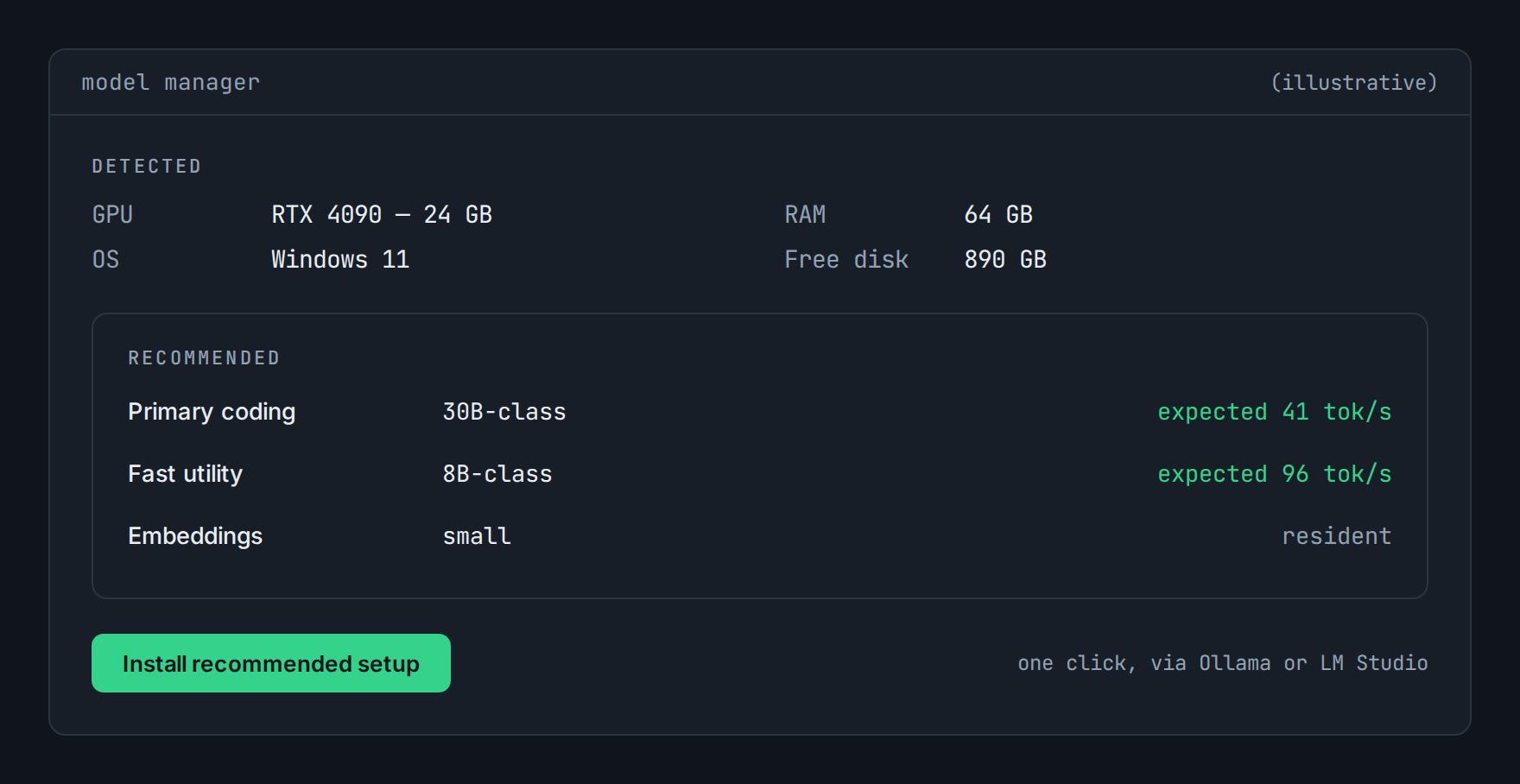
Detected hardware and a recommended setup. Illustrative.