From bare GPU to a working local setup. One click, no folklore.
The local-model world moves weekly, and the knowledge you need — which model, which size, which quantization for your card — lives scattered across forum threads. The Model Manager replaces the folklore with a recommendation for your exact machine.
It looks at what you actually have
GPU model and VRAM, CPU, RAM, free disk, OS. Then it recommends a setup sized to the machine: a primary coding model, a fast utility model, and embedding support, with expected speeds stated up front. Installation runs through Ollama or LM Studio in one click, and a llama.cpp server works as a local tier too; if you already run any of them, Haybox uses what’s there.
model-manager
DETECTED                                  (illustrative)

GPU:  RTX 4090 — 24 GB        RAM: 64 GB
OS:   Windows 11              Free disk: 890 GB

RECOMMENDED
Primary coding    30B-class    expected 41 tok/s
Fast utility      8B-class     expected 96 tok/s
Embeddings        small        resident
Method: expected speeds are the harness’s measurements for this GPU class, not a guess for your specific card. Where a configuration has not been measured, the tool says so.
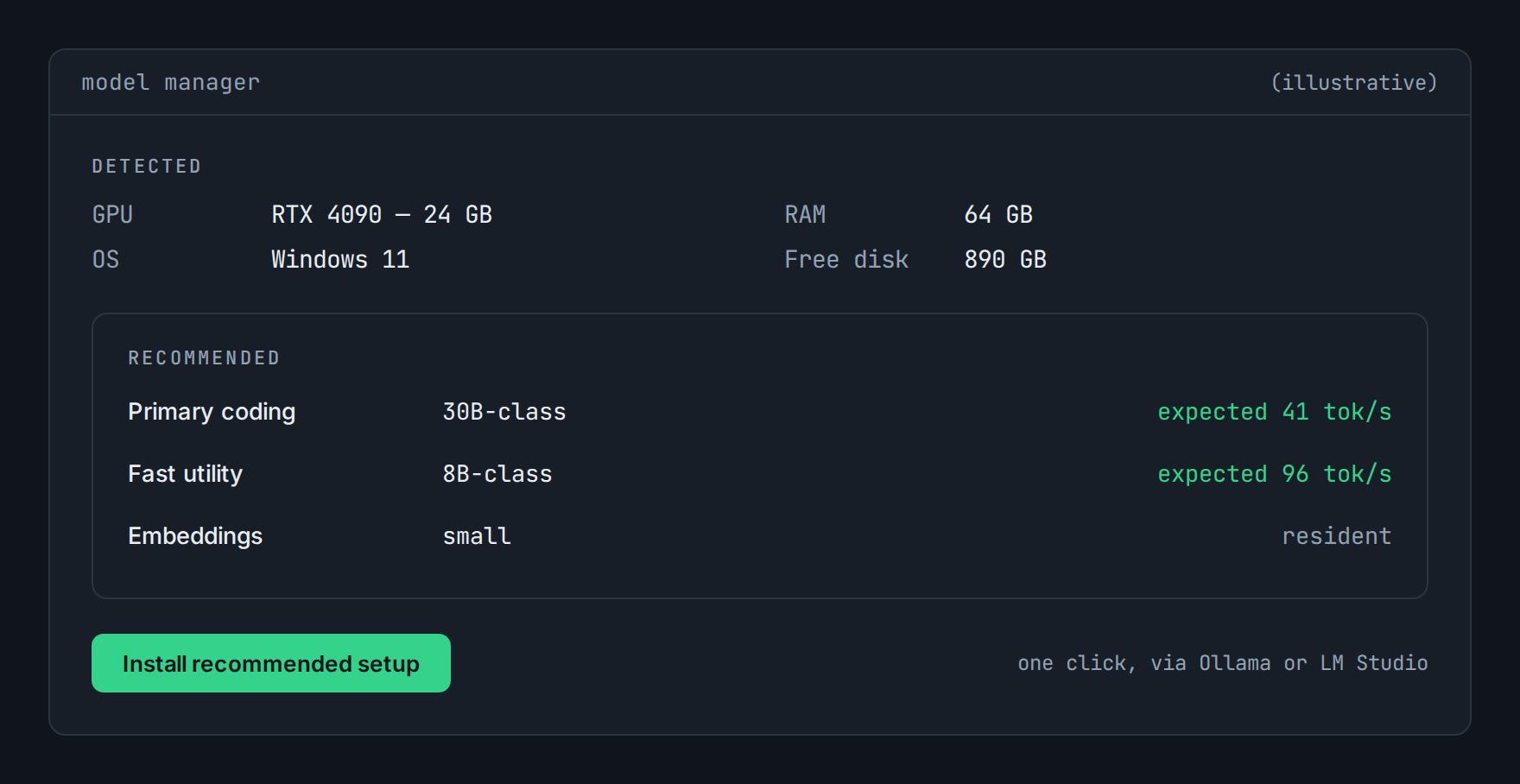
Detected hardware and the recommended setup. Illustrative.
Recommendations with reasons
When a model release actually matters for your hardware and your work, you’ll see a note with the expected difference in numbers, and “keep what you have” is a recommendation we make often. Upgrades are pinned and tested before they’re offered; a model recommendation is an executable-software decision and we treat it like one.
Honest hardware guidance
Best experience: 16 GB+ VRAM, or Apple silicon with 32 GB+ unified memory. It runs below that; the router escalates more and the Ledger shows you exactly what that costs.
The What can my rig run tool gives you the fit check before you install anything.
Questions
Do I need to know what quantization is?
No. If you do know, the choice is yours to override.
NVIDIA only?
NVIDIA and Apple silicon are first-class at launch; support status lives in the docs.
Can I use models I’ve already downloaded?
Yes, via your existing runtime: Ollama, LM Studio, or a llama.cpp server.
Rules files · Agent & VS Code · Rig tool · Benchmarks · All features
See what your own traffic says.
Shadow Mode reports on the traffic you already have. Before that exists for you, the calculator will estimate it from your GPU and your monthly spend, and show you every assumption it used to get there.