Cline in VS Code. Haybox underneath.
Cline connects to any standard endpoint, so this is a settings change. Your VS Code workflow does not move.
Three steps
Point Cline at the Haybox daemon and keep working. The exact configuration line for your version is in the docs.
- Install Haybox
One binary, Windows, macOS or Linux. It starts a local daemon and detects your hardware.
- Point Cline at the local endpoint
Change Cline’s endpoint setting to the local Haybox address.
- Work normally
Nothing about your workflow changes. Watch the Ledger fill: a Waybill per task, and a savings report after thirty days.
Haybox is in private alpha, so step one is the waitlist for now.
What you get with Cline
- A shadow report built from your real traffic, not a simulation of someone else’s.
- Local-first routing with acceptance floors under it, so cheap only counts when it holds.
- A Waybill per task: the route, the cost per leg, what verified, and your decision.
- Rules that apply here too — the files you already keep are read natively.
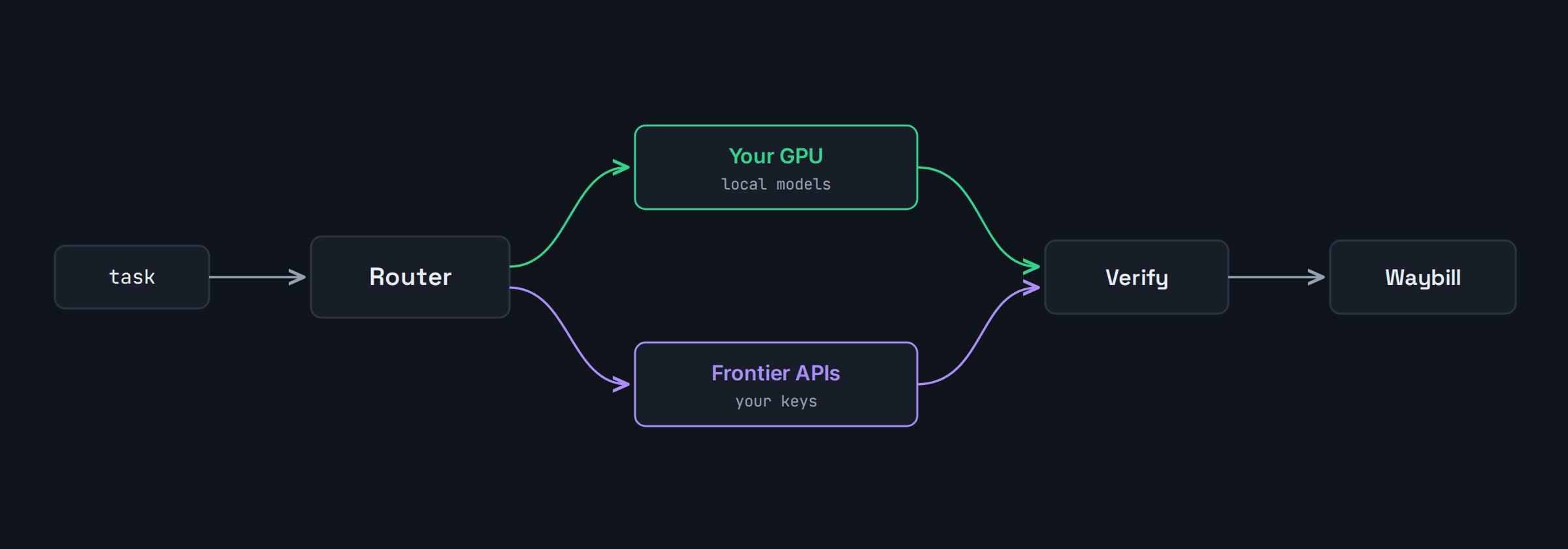
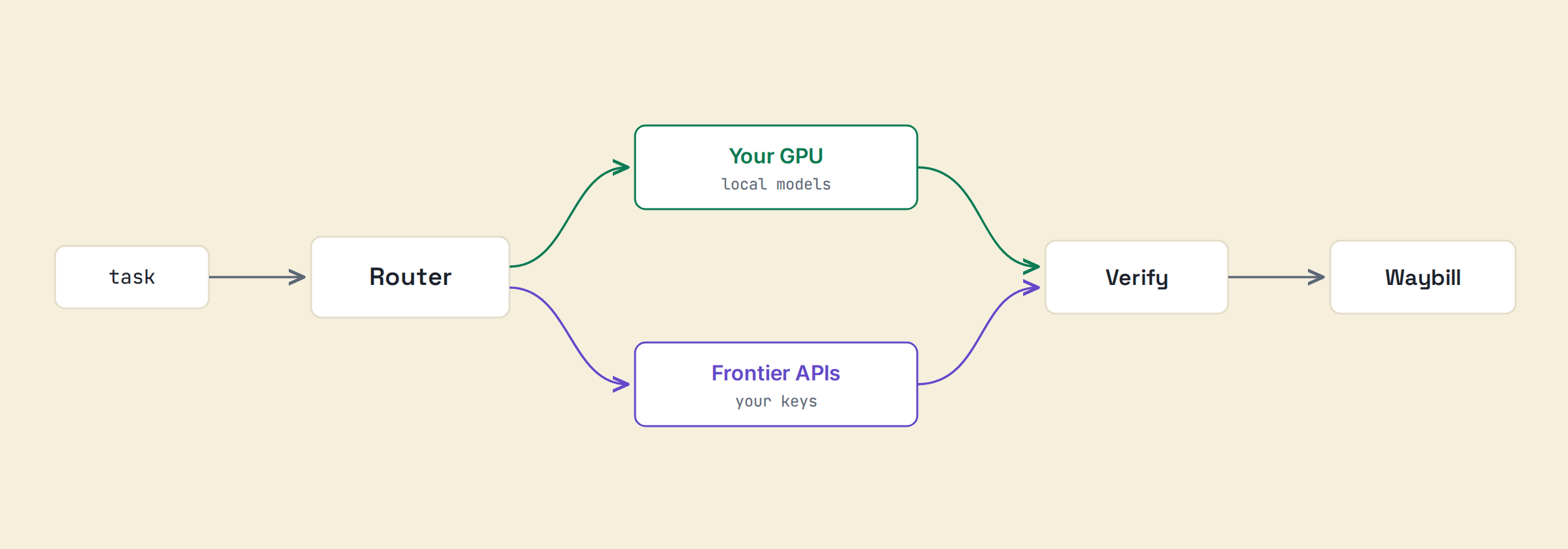
The route, end to end. Illustrative.
Notes for Cline specifically
Cline connects to any standard endpoint, so setup is a settings change. Your agentic runs get classified and shadowed from the first session, and your .cursorrules or AGENTS.md, if present, apply to routed work immediately.
Questions
Do I use Cline’s model picker or Haybox’s routing?
Either. Point Cline at a Haybox policy and let it route, or pin a model and Haybox still writes the ledger.
Are local models required?
No; shadow first, install later.
See what your own traffic says.
Shadow Mode reports on the traffic you already have. Before that exists for you, the calculator will estimate it from your GPU and your monthly spend, and show you every assumption it used to get there.